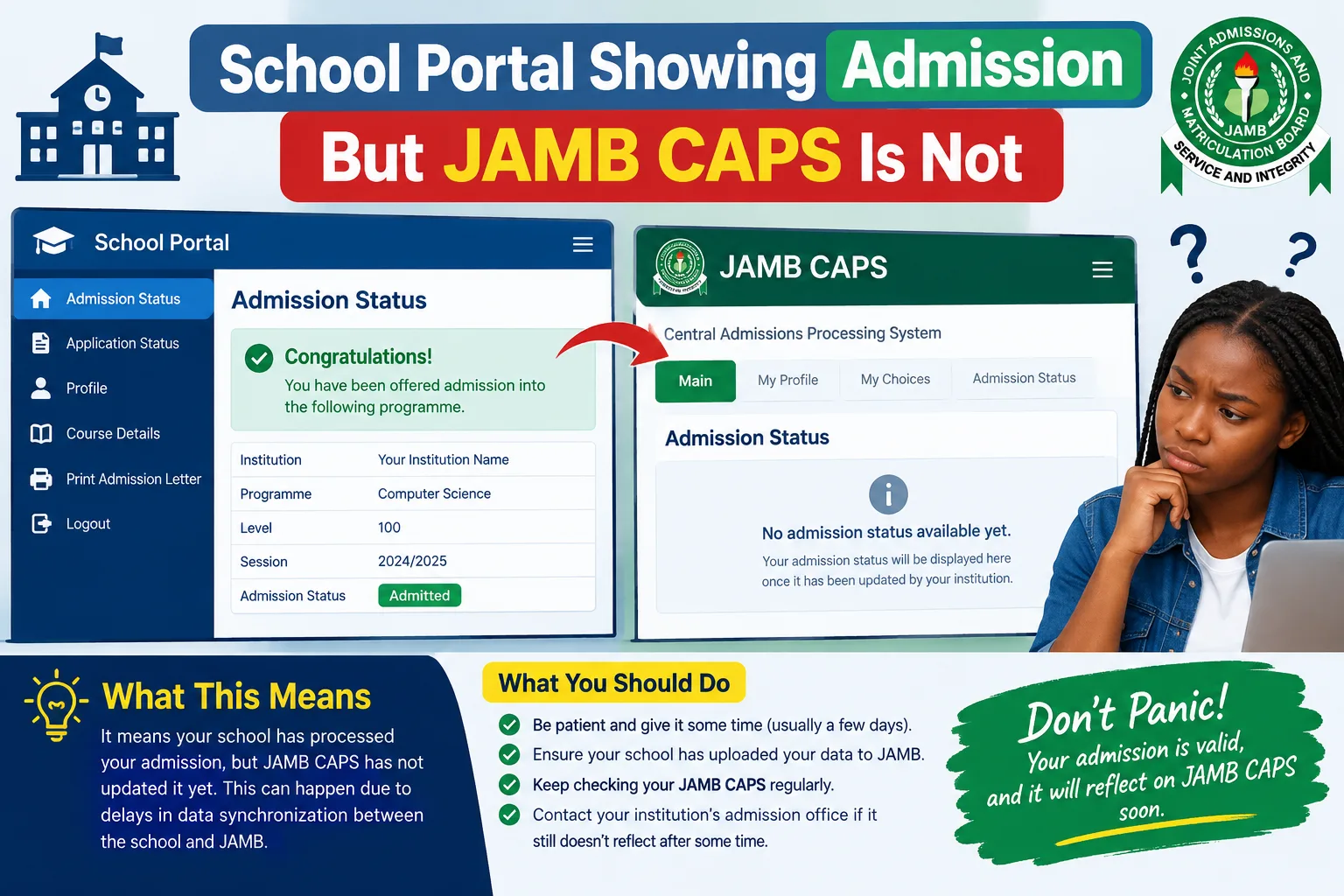
Have you encountered why your school portal showing admission but JAMB CAPS is not, this article, explains why your school portal may show admission while JAMB CAPS does not, what you should do about it, how long you may need to wait, and how to protect your admission for the 2026/2027 academic session.
If your school portal is showing admission but JAMB CAPS is not, you may be wondering whether you have truly been admitted or whether something is wrong with your application. This situation can be confusing, especially when you have checked your admission status several times and your school portal says “Admitted” while JAMB CAPS still displays “Not Admitted.”
The good news is that there are several possible explanations for this difference. Your school may have released an internal admission list before completing all the required processing on the Joint Admissions and Matriculation Board (JAMB) platform. There may also be an outstanding approval, an issue with your admission details, or a delay in updating the relevant system.
However, you should not assume that every admission notification on a school portal represents a fully completed admission. JAMB’s official guidelines require tertiary institution admissions to be processed through its recognised admission system. Its 2026 UTME and Direct Entry guidelines also state that admission offers must come through JAMB and be reflected on e-Facility.
Quick Answer: Why Is My School Portal Showing Admission But JAMB CAPS Is Not?
The most common explanation is that your school portal and JAMB CAPS have not yet reached the same stage of admission processing.
Your institution may have published an internal admission list, while the corresponding admission information is still awaiting submission, processing, approval, or reflection on JAMB CAPS. Other possibilities include an incomplete admission record, incorrect personal details, or an outstanding eligibility requirement.
Here is a quick summary of what you should know.
| What you see | Possible explanation | What to do |
|---|---|---|
| School portal says “Admitted,” but CAPS says “Not Admitted” | The two systems may be at different processing stages | Contact the school’s admissions office and monitor CAPS |
| School portal says “Recommended” | Your application may still be undergoing processing | Ask whether further approval is required |
| School portal says “Admission in Progress” | The admission process may not be complete | Follow official updates and check again |
| Your name appears on a provisional list | The school may have announced a provisional decision | Verify your individual status on JAMB CAPS |
| CAPS shows the wrong course | Your admission details may require clarification | Contact the school’s admissions office |
| CAPS displays an error or fails to load | There may be a login, connection, or system issue | Retry through the official JAMB portal |
These are general explanations, not a guarantee of what has happened to your particular application. Your institution is best placed to explain the status of its admission records, while JAMB can clarify issues relating to its platform.
1. What Does It Mean When Your School Portal Shows Admission But JAMB CAPS Does Not?
When your school portal displays admission, it generally means the institution’s system is showing an admission-related decision or record associated with your application.
However, the exact meaning depends on the wording used by the school. Some institutions publish provisional lists, while others display admission offers through a candidate dashboard after an internal selection process.
JAMB CAPS is the Central Admissions Processing System developed by JAMB to manage and streamline admissions into Nigerian tertiary institutions. According to JAMB’s official explanation, CAPS supports the admission process, allows candidates to confirm offers, and incorporates the roles of institutions and the relevant approval authorities.
This means that your school’s portal and JAMB CAPS serve related but different purposes.
Your school provides institution-specific admission information and instructions. JAMB CAPS records and processes the admission through JAMB’s admission system.
Therefore, if your school portal says “Admitted” but CAPS says “Not Admitted,” the difference needs to be investigated rather than ignored.
Important: Do not treat the school portal notification as final proof that all admission requirements have been completed. Equally, do not conclude that you have permanently lost your admission simply because CAPS has not updated yet.
The appropriate next step is to confirm the status of your application with the institution and, where necessary, JAMB.
2. Reasons Your School Portal May Show Admission But JAMB CAPS Is Not
There are several reasons this situation can occur during the 2026/2027 admission exercise. The following are possible explanations, and not every one will apply to every candidate.
Reason 1: Your School Has Not Completed the JAMB Admission Process
One possible reason is that your institution has published an internal admission decision but has not completed the corresponding processing on JAMB CAPS.
For example, a school may update its candidate portal to show that you have been selected for a programme. The associated record may still need to pass through the required institutional submission and approval stages.
Until the relevant process is completed, the admission status displayed by JAMB may differ from the information on the school portal.
This is why candidates should not rely exclusively on an institutional admission dashboard.
What you should do: Contact your school’s admissions office and ask whether your admission has been properly processed and submitted through JAMB CAPS. Request clarification on your individual record rather than relying only on general announcements.
Reason 2: Your Admission Is Awaiting Approval
Admission processing may involve several stages. An institution may recommend a candidate before the relevant admission is fully approved and made available for the candidate’s response.
JAMB’s official CAPS documentation describes different admission statuses, including “Not Admitted,” “Proposed,” “Recommended,” “Approved,” and “Accepted” within the institutional processing system.
These stages show why a candidate’s admission record may not move directly from an initial decision to a final offer.
If your school has selected you but the corresponding process is not complete, your JAMB status may not yet show an approved admission.
What you should do: Ask the institution whether your admission is still being processed or is awaiting an outstanding approval. Continue monitoring your CAPS account for changes.
Do not pay anyone who promises to approve your admission or change your CAPS status unofficially.
Reason 3: The School Has Released a Provisional Admission List
Some institutions release provisional admission lists while further administrative procedures remain outstanding.
A provisional list may indicate that you have been selected for consideration or that the institution has made a preliminary admission decision. However, the precise meaning depends on the institution’s official announcement.
Being listed on a school portal does not, by itself, establish that all the requirements for a recognised JAMB admission have been completed.
This is particularly important if the school describes the list as provisional or instructs candidates to complete additional verification.
What you should do: Read the admission announcement carefully. Check whether the school has explained the next steps, and verify your personal admission status through the official JAMB platform.
Reason 4: JAMB CAPS Has Not Yet Reflected the Updated Information
Another possibility is a delay between an institutional update and the information visible on the candidate’s JAMB dashboard.
Online systems may not always display changes at the same time. Nevertheless, there is no universal, officially guaranteed number of hours or days within which every school admission must appear on CAPS.
You should therefore avoid relying on claims that all admissions will reflect within 24 hours, 48 hours, or any other fixed period unless your institution or JAMB has provided that specific information.
What you should do: Check your status again later through the official portal. If the difference persists, contact your institution’s admissions office and ask whether the admission has been processed on JAMB CAPS.
Do not assume that waiting alone will resolve the issue.
Reason 5: Your O’Level Results Have Not Been Uploaded or Properly Reflected
Your O’Level results are an important part of your admission record. Depending on the programme and institution, the required subjects, grades, and number of sittings must meet the applicable admission requirements.
JAMB’s official CAPS information identifies the upload of O’Level results as an important requirement in the admission process.
If you registered using awaiting results or your results have not been properly uploaded to your JAMB profile, this may affect your eligibility or admission processing.
However, missing O’Level results are not the only possible explanation for a difference between the two portals.
What you should do:
- Sign in to your official JAMB e-Facility account.
- Check whether your O’Level results have been uploaded successfully.
- Confirm that the results and subjects are correct.
- If the results are missing or incorrect, ask JAMB or an accredited CBT centre about the approved correction procedure.
- Inform your institution if the issue may affect your admission processing.
Do not pay an unofficial agent who claims to upload or correct your results through a special channel.
Reason 6: Your School Portal and JAMB CAPS Have Different Admission Information
Your school may have selected you for a particular programme, but the details in the relevant admission record may require clarification.
For example, the course displayed on the school portal might differ from the course recorded in your JAMB details. Your institution may also need to clarify a change involving your programme or admission category.
Such differences should not be ignored because your admission records need to be consistent with the applicable institutional and JAMB procedures.
What you should do: Compare your JAMB registration details, course, institution, and school admission notification. If anything differs, contact the institution’s admissions office and ask what needs to be corrected through the official process.
Do not independently make a course or institution change simply because you believe it will resolve the problem.
Reason 7: You Have Not Completed a Required Admission Step
Some candidates receive an admission-related notification but still have outstanding requirements.
Depending on the institution, these may include document verification, screening, confirmation of personal information, or other specified procedures.
Completing a school’s screening process does not automatically mean every stage of JAMB admission processing is complete.
What you should do: Review the official admission instructions and determine whether you have completed every required step. If you have fulfilled the requirements, ask the admissions office whether any further action is needed on its side.
Reason 8: You Are Checking the Wrong Admission Session or Candidate Record
A candidate may accidentally check the wrong examination year, use incorrect login details, or confuse an older admission record with the current application.
This can cause unnecessary worry, especially when a candidate has participated in more than one admission exercise.
What you should do: Make sure you are checking the correct 2026/2027 admission record and the JAMB profile associated with your current application.
Use your own registered account and verify that the personal details and institution shown are correct.
Reason 9: Your Admission Has Not Yet Been Offered Through JAMB
It is also possible that the school portal displays an internal decision, but JAMB has not recorded an approved admission offer for you.
In that situation, you should not assume that the admission is already fully recognised.
JAMB’s 2026 UTME and Direct Entry guidelines state that admission offers must come through JAMB and be available on e-Facility. The guidelines warn that an institutional offer outside CAPS is not recognised by the Board.
This is an important distinction: an internal school notification and a completed JAMB admission are not necessarily the same thing.
What you should do: Ask the institution to confirm the status of your admission on CAPS. If the school cannot clarify the discrepancy, contact JAMB through its official support channels.
Reason 10: You Are Experiencing a Portal or Technical Problem
Sometimes, the issue may be related to login difficulties, a temporary service interruption, a poor internet connection, or a page that has not loaded correctly.
However, a technical problem should not automatically be assumed to explain a persistent “Not Admitted” status.
What you should do: Log in again through the official JAMB e-Facility website, check your internet connection, and try a different browser or device if necessary.
If the portal continues to display an error, use the official JAMB support service for assistance.
3. What Is the Difference Between a School Admission Portal and JAMB CAPS?
Understanding the difference between the two platforms will help you know which office to contact.
| Feature | School admission portal | JAMB CAPS |
|---|---|---|
| Main purpose | Displays institution-specific admission information | Manages the JAMB admission process |
| Managed by | Your university, polytechnic, or college | Joint Admissions and Matriculation Board |
| Admission updates | Reflects information maintained by the institution | Reflects information recorded in the JAMB admission system |
| Candidate instructions | Provides school-specific requirements and deadlines | Provides relevant admission status and candidate actions |
| Admission confirmation | Useful for checking the institution’s decision | Essential for verifying and responding to the JAMB admission offer |
| If information differs | Contact the institution’s admissions office | Contact JAMB when the issue concerns the JAMB record or system |
Both platforms are important, but they do not replace each other.
If your school portal shows admission and CAPS does not, you need to establish whether the institution has completed the necessary processing and whether your JAMB record is correct.
4. What Should You Do If Your School Portal Shows Admission But JAMB CAPS Is Not?
If you are facing this problem for the 2026/2027 academic session, follow these steps.
Step 1: Confirm That the School Portal Is Official
First, ensure that you are using your institution’s genuine website.
Avoid relying on screenshots shared in WhatsApp groups, unofficial admission lists, or links sent by strangers. Fraudsters sometimes use false admission notifications to convince candidates to pay money.
Open your institution’s official website and navigate to its admissions section.
Step 2: Check Your Individual Admission Status
Do not rely solely on a general admission list.
Log in to your school’s portal and confirm the information associated with your own application. Check your name, application number, programme, and the exact status displayed.
Save a screenshot or download the notification if the portal allows it.
Step 3: Log In to the Official JAMB e-Facility Portal
Visit the official JAMB e-Facility website:
https://efacility.jamb.gov.ng/
Sign in using your registered account details and open the relevant admission services.
Where available, select the CAPS or admission-status option and check your current record.
Use the official portal rather than websites that request your password in exchange for checking admission.
Step 4: Check Your O’Level Results
Confirm that your O’Level results have been uploaded and that the information is correct.
If you used awaiting results, verify that you have completed the applicable upload procedure. If the information is missing or incorrect, seek assistance through the approved JAMB process.
Remember that meeting the O’Level requirements does not automatically guarantee admission, but missing required information can affect eligibility.
Step 5: Contact Your School’s Admissions Office
This is one of the most important steps.
Explain that your school portal displays admission but your JAMB CAPS account still says “Not Admitted.”
Ask the admissions office to confirm:
- Whether your admission is provisional or final at the institutional stage.
- Whether your admission has been submitted or processed on JAMB CAPS.
- Whether there is an outstanding approval or verification requirement.
- Whether your course and personal details are correct.
- Whether you need to take any further action.
Give the office your application details through its official communication channel. Do not publish sensitive information in public comment sections.
Step 6: Contact JAMB If the Problem Remains Unresolved
If your institution confirms that the admission has been processed but CAPS still does not reflect it, contact JAMB through its official website.
Visit https://www.jamb.gov.ng/ and look for the official support or ticketing option.
JAMB’s published guidance directs candidates to its online support centre for complaints and enquiries. Follow the instructions on the official website and provide the information requested for your case.
When submitting a complaint, explain the discrepancy clearly and attach relevant evidence if requested.
Step 7: Continue Monitoring Your Status
Check your CAPS account periodically while following the guidance provided by your institution or JAMB.
You do not need to refresh the page continuously throughout the day. Instead, monitor official updates and take action if the discrepancy persists.
Keep copies of your admission notification, relevant receipts, application details, and official correspondence.
Step 8: Follow the Official Acceptance Instructions
If JAMB CAPS eventually displays an admission offer, carefully confirm the institution and programme before accepting or rejecting it.
Follow the instructions provided through the official JAMB platform and your institution.
Do not assume that a school portal’s acceptance procedure automatically completes every required step on CAPS.
5. Can You Accept Admission on Your School Portal Before It Appears on JAMB CAPS?
You should follow your institution’s official instructions, but you must understand that accepting or confirming an admission-related notification on the school portal does not automatically mean you have accepted an admission offer through JAMB CAPS.
Some institutions require candidates to complete school-specific procedures while admission processing continues. If your institution instructs you to complete a portal step, confirm what that step means and whether it is separate from the JAMB process.
The most important thing is not to confuse a school’s internal acceptance or screening procedure with the official JAMB admission process.
JAMB’s 2026 guidelines make it clear that admission offers must be processed through JAMB and reflected on e-Facility.
Therefore, if you are asked to pay an acceptance fee while CAPS still says “Not Admitted,” verify the instruction directly with the institution. Confirm the fee, deadline, refund policy where applicable, and the stage of your admission before paying.
Do not pay money to a personal bank account or an individual who promises to make your JAMB admission appear.
6. How Long Does It Take for School Admission to Reflect on JAMB CAPS?
There is no universal processing time that can safely be promised for every institution and candidate.
The time required may depend on the stage of the admission process, the institution’s procedures, whether the relevant record has been submitted, and whether additional verification or approval is needed.
A candidate whose record is still awaiting institutional processing may experience a different delay from one whose admission has already been submitted and is awaiting another stage.
For this reason, be careful with claims that your admission must appear within 24 hours, three days, or one week.
If your school has released an admission list but your CAPS status has not changed, ask the admissions office whether your individual record has been processed and whether there is an outstanding requirement.
If the school confirms that everything has been completed, ask when you should follow up and contact JAMB if necessary.
Do not wait indefinitely without seeking clarification, especially if an official deadline is approaching.
7. Does “Not Admitted” on JAMB CAPS Mean You Have Lost Admission?
No. Seeing “Not Admitted” does not necessarily mean that you have permanently lost every chance of admission.
It means that an approved admission offer is not currently displayed under that status. Depending on the circumstances, your application may still be under consideration, the institution may not have completed the relevant processing, or you may not have been offered admission.
However, if the school portal shows that you have been admitted, you should investigate the discrepancy rather than assume either that your admission is guaranteed or that it has been cancelled.
Check the official admission announcements, confirm your eligibility, and contact the institution.
Remember that an unresolved difference between the two platforms is not proof of fraud, but it is also not proof that the admission has been fully recognised by JAMB.
8. What If Your School Says You Have Been Admitted but JAMB Says You Have Not?
If your school confirms that you have been admitted but CAPS continues to display “Not Admitted,” request a clear explanation from the admissions office.
Ask whether the school has submitted your individual admission record through the relevant JAMB process.
If it has, ask whether any additional step is outstanding. If it has not, ask what needs to happen before the record can be processed.
Where the school cannot resolve the matter, contact JAMB through its official support channel.
Keep your communication factual and polite. Provide your application details and evidence of the status displayed on each platform.
Do not rely on verbal assurances alone if the issue remains unresolved. Where possible, retain written responses or official notices that explain the situation.
You should also avoid making major decisions based only on an unverified admission notification. Follow official instructions and confirm the relevant requirements before making non-refundable payments or arranging travel.
9. Common Mistakes to Avoid When Your School Portal Shows Admission but JAMB CAPS Is Not
Candidates sometimes make the situation more difficult by taking action before confirming the actual problem.
Avoid these mistakes:
1. Paying unofficial agents: Nobody should be paid privately to force your admission to appear on CAPS.
2. Assuming the admission is fully confirmed: A school portal notification does not replace the required JAMB admission process.
3. Ignoring the school portal: The school is the appropriate first point of contact for questions about its admission decision and submission procedures.
4. Ignoring JAMB CAPS: Continue checking your official admission record and follow the required instructions.
5. Uploading incorrect information: Make sure your O’Level results and other relevant details are accurate.
6. Sharing your password or sensitive account details: Never disclose your JAMB password, email password, or verification codes to strangers.
7. Missing official deadlines: Check the instructions issued by your institution and JAMB, particularly where acceptance or registration deadlines apply.
8. Believing every social media claim: Admission procedures and deadlines can vary. Verify important information using official sources.
9. Rejecting or accepting an offer without checking the details: Confirm the institution and programme before responding to an actual offer on CAPS.
10. Waiting without contacting anyone: If the discrepancy persists, contact the admissions office and seek guidance from JAMB where appropriate.
10. Official Websites to Check Your Admission Status
The following resources can help you verify your admission and understand the official procedure.
| Resource | What it helps you do | Official link |
|---|---|---|
| JAMB e-Facility | Access your JAMB profile and available admission services | https://efacility.jamb.gov.ng/ |
| JAMB CAPS | Read about CAPS and its role in admission processing | https://www.jamb.gov.ng/caps |
| JAMB official website | Find official announcements and support options | https://www.jamb.gov.ng/ |
| JAMB 2026 UTME/DE guidelines | Review the official guidelines, including the rules for valid admission | Read the official 2026 bulletin |
For related guidance on MyEduWise.com.ng, read our article on How to Check JAMB CAPS Admission Status for 2026/2027.
Always prioritise official sources when checking admission requirements, deadlines, and the status of your application.
Frequently Asked Questions (FAQs)
1. Why is my school portal showing admission but JAMB CAPS is not?
Your school may have displayed an internal admission decision before the corresponding record was fully processed on JAMB CAPS. Other possibilities include pending approval, missing information, or an issue with the admission record. Contact your school’s admissions office to establish the exact reason.
2. Does school portal admission mean I have been admitted?
It means the institution’s portal is displaying an admission-related decision, but the exact significance depends on the institution’s process and the wording of the notification. You should also verify the corresponding admission through JAMB’s official system.
3. Can JAMB CAPS change from “Not Admitted” to “Admitted”?
Yes, your status can change if an admission offer is subsequently processed and recorded. However, a change is not guaranteed. Continue checking your status and follow up with your institution if necessary.
4. How many days will it take for my school admission to reflect on CAPS?
There is no universal processing period that applies to every school and candidate. The timing depends on the stage of the admission process and any outstanding requirements. Ask your institution for information about your individual record.
5. Should I pay my acceptance fee if CAPS says “Not Admitted”?
First, verify the instruction directly with the institution. Ask whether the payment is part of a legitimate school procedure and whether your admission has been processed through JAMB. Do not pay unofficial agents or transfer money to personal accounts based on unverified promises.
6. Can I register at my school if JAMB CAPS has not admitted me?
You should not assume that you can complete every stage of registration while CAPS still shows “Not Admitted.” Ask the institution what provisional steps, if any, you may complete and confirm the requirements for recognised admission through JAMB.
7. What should I do if my school says my admission has been uploaded to JAMB?
Ask the institution to confirm the status of your individual record and whether any further processing or approval is outstanding. If the school confirms completion but CAPS remains unchanged, contact JAMB through its official support service.
8. Does “Not Admitted” mean my school has rejected me?
Not necessarily. It means that an approved admission offer is not currently displayed under that status. Your application could be at another processing stage, or you may not have been offered admission. Contact your school to establish your actual position.
9. Can missing O’Level results prevent my admission from reflecting on CAPS?
Missing or improperly uploaded O’Level results can affect admission eligibility or processing. Check your JAMB profile and confirm that your results are correctly uploaded. If you find an issue, follow the approved procedure for correcting it.
10. What if my course on the school portal is different from the course on CAPS?
Contact your school’s admissions office immediately. Explain the difference and ask whether a correction or an official course-change procedure is required. Do not assume the difference is harmless or make an unofficial change yourself.
11. Can I accept admission on CAPS if my school portal has not updated?
If a valid admission offer appears on CAPS, carefully confirm the institution and programme and follow the official instructions. Contact your school if its portal displays conflicting information, especially before paying fees or completing registration.
12. Is admission on a school portal without JAMB CAPS recognised?
JAMB’s published 2026 UTME/DE guidelines state that admission offers must come through JAMB and be reflected on e-Facility. A school portal notification alone should therefore not be treated as proof that all requirements for recognised admission have been completed.
13. Should I visit a JAMB office if my admission is not reflecting?
If your institution cannot resolve the problem, or if the issue concerns your JAMB record, contacting JAMB through its official support service is appropriate. Follow the instructions given for your case and visit an office if you are advised to do so.
14. Can an admission agent make my CAPS status change?
Do not trust anyone who claims they can force an admission status change through an unofficial arrangement. Admission processing should follow the recognised institutional and JAMB procedures. Use official support channels and avoid paying for guaranteed admission promises.
15. What should I do if CAPS still says “Not Admitted” near the admission deadline?
Contact your institution’s admissions office promptly and explain the discrepancy. Ask whether your record has been processed and whether any action is required from you. If the issue remains unresolved, contact JAMB through its official support channel. Keep copies of relevant notices and correspondence.
Conclusion
If your school portal is showing admission but JAMB CAPS is not, do not panic, but do not ignore the difference either.
The situation may arise because your institution has published an internal admission decision before the corresponding JAMB process is complete. It may also involve pending approval, missing O’Level results, inconsistent details, or another issue that requires clarification.
The best approach is to verify your school portal, check your individual status on the official JAMB e-Facility platform, confirm that your information is correct, and contact your school’s admissions office. If the discrepancy remains unresolved, seek assistance from JAMB through its official support channels.
Most importantly, remember that a school portal notification and a fully processed JAMB admission are not necessarily the same thing. Follow official instructions, protect your account details, avoid unofficial agents, and confirm your admission status before making important decisions.